Ozempic® at a glance
| Detail | What the sources say |
|---|---|
| Active substance | Semaglutide, a GLP-1 receptor agonist |
| Maker | Novo Nordisk |
| Approved use (US label) | Type 2 diabetes in adults, alongside diet and exercise, with cardiovascular and kidney risk-reduction uses in specific groups |
| Form and rhythm | Pre-filled pen, injected under the skin once a week |
| Tablets | Since 2026 the US label also covers once-daily semaglutide tablets for type 2 diabetes under the Ozempic® name |
| Where approved | US (FDA, 2017) and EU (EMA, 2018) |
What the label describes
| Step | What the label describes |
|---|---|
| Start | 0.25 mg once weekly for 4 weeks [1] |
| After 4 weeks on 0.25 mg | 0.5 mg once weekly [1] |
| If additional glycemic control is needed after at least 4 weeks on 0.5 mg | The dosage may be increased to 1 mg once weekly [1] |
| If additional glycemic control is needed after at least 4 weeks on 1 mg | The dosage may be increased to 2 mg once weekly [1] |
| Maximum | 2 mg once weekly [1] |
| Type 2 diabetes with chronic kidney disease | Maintenance dosage of 1 mg once weekly, after at least 4 weeks on 0.5 mg [1] |
Your dose and schedule are set by your prescriber.
From the label to the app
| What the label says | What PepLabo does with it |
|---|---|
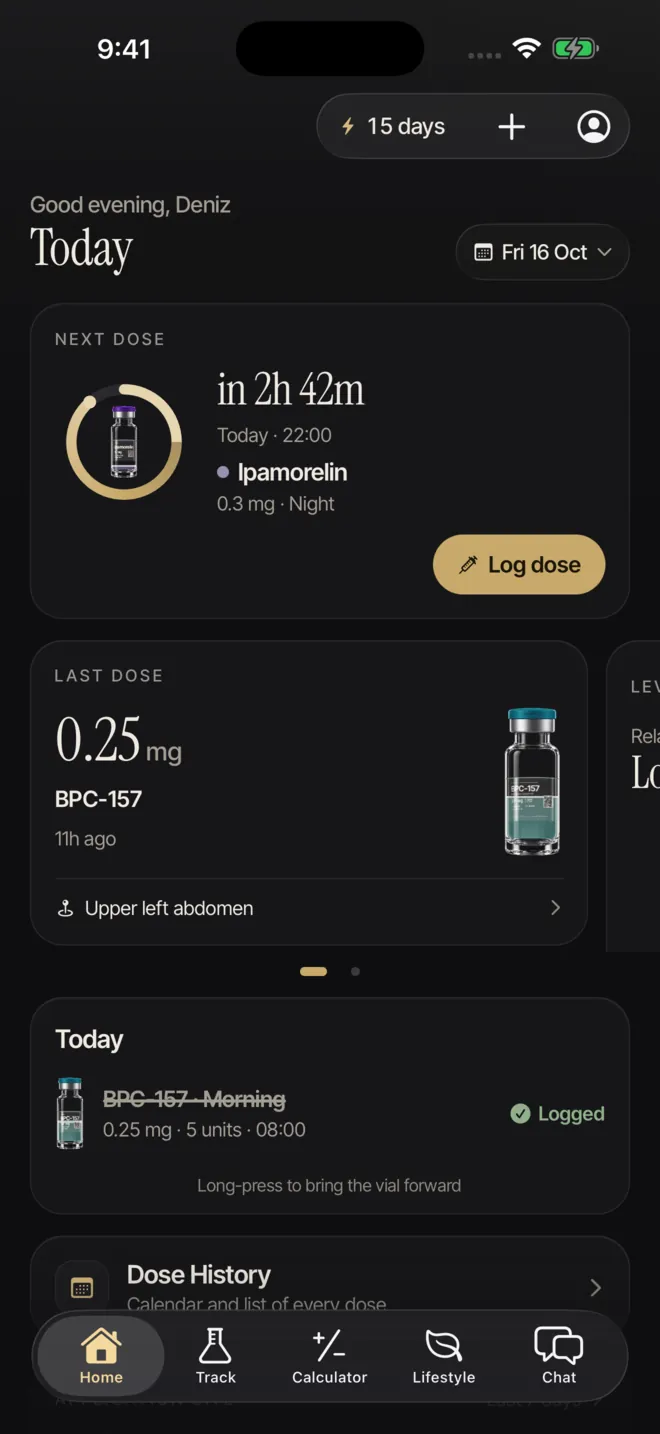
| Give a missed dose within 5 days; if more than 5 days have passed, skip it and take the next dose on the usual day [1]. | A follow-up arrives 30 minutes after a missed dose time, and Today marks the dose as overdue. PepLabo does not count the days or decide for you. |
| The weekly day can be changed if at least 2 days (48 hours) pass between two doses [1]. | Today shows your last dose and how long ago it was. You change the weekday in the schedule; whether to move it is your prescriber’s call. |
| Change (rotate) the injection site with each injection, as the Medication Guide says [1]. | Each log asks for the site on a front and back body map, and a weekly heat map shows which areas you used. |
| After first use, a pen can be kept for 56 days at room temperature or in the fridge [1]. | Enter the expiry date and PepLabo reminds you a week before and on the day. It does not count days since first use or days out of the fridge. |
What PepLabo does and does not do
| PepLabo does | PepLabo does not |
|---|---|
| Record each dose with the date, time and amount you enter, and the site for injections | Suggest a dose, a schedule change or a medicine |
| Remind you 15 minutes before, at the dose time, and 30 minutes after a missed dose | Tell you what to do after a missed dose; the leaflet and your prescriber do |
| Put check-ins, weight and doses on one timeline | Interpret symptoms or judge progress |
| Keep your records on your phone, with no account needed to track | Use analytics, advertising or tracking SDKs, or write to Apple Health |
| Create a PDF of your dose log for your clinician (Pro) | Replace your clinician or pharmacist |